> For the complete documentation index, see [llms.txt](https://emailpref.gitbook.io/emailpref-integration-with-esps/llms.txt). Markdown versions of documentation pages are available by appending `.md` to page URLs; this page is available as [Markdown](https://emailpref.gitbook.io/emailpref-integration-with-esps/integrations/sendfox/create-preference-page/copy-paste-and-connect.md).
# Copy, Paste & Connect
Now that your customized preference page is ready, Emailpref simplifies the process of integrating it seamlessly into your SendFox campaigns.
{% hint style="danger" %}
If a user is marked unsubscribed by SendFox, Emailpref can not resubscribe the user. Emailpref can still add a user to a list or remove a user from a list.\
\

{% endhint %}
### Including a Hypertext link
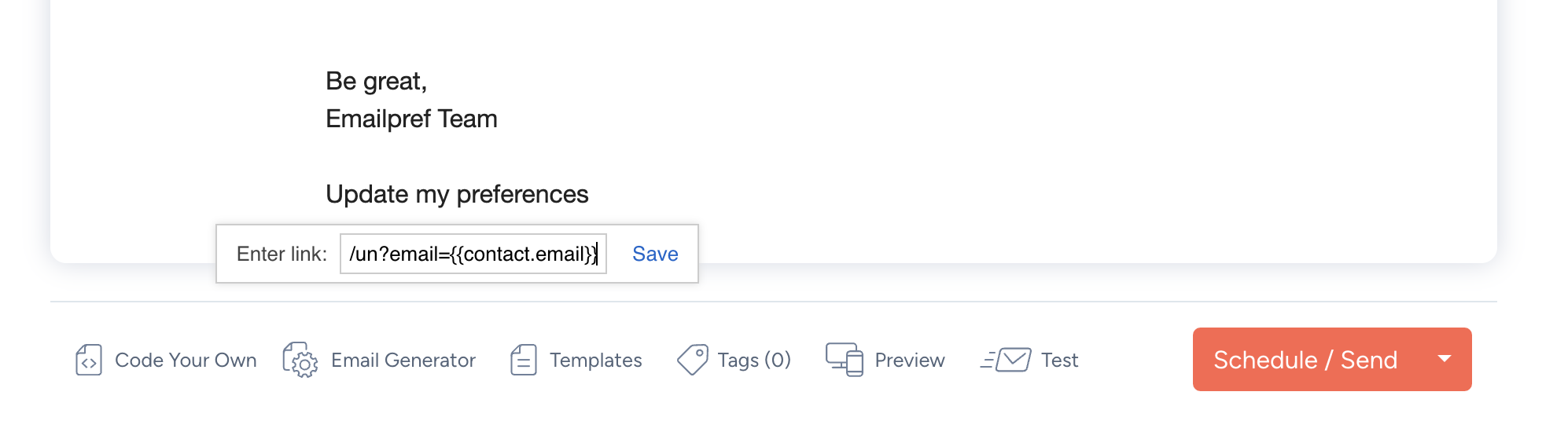
This method allows you to insert a link to your preference page directly within your SendFox email. Here's how:
* Copy the preference page link from Emailpref
* Paste this link as a hypertext, which can be customized to display as text such as "Manage your preferences" or any other preferred wording.
* Ensure a seamless experience by hyper-linking this text to the page, like this: `https://yourdomain.emailpref.com/preferences?email={{contact.email}}`
{% hint style="warning" %}
Do not forget to include the email personalization tag (`email={{contact.email}}`) to ensure the page is tailored to each user.
{% endhint %}
This approach is especially handy for directing your subscribers to their personalized preference page with ease.
{% hint style="danger" %}
Email Switch: Team is currently working on this, and should be live soon. It will trigger a double opt-in when the user switches their email unless they disable it in settings.
{% endhint %}